
For fest organisers
College fest certificates, without the end-of-fest scramble
Issue certificates for every event in your college fest — participants, winners, volunteers. Import a list, send links, let anyone verify. 300 free credits.
A college fest is dozens of events under one banner, and every event ends with its own list of people who need proof they were there. Verifycate takes the spreadsheet you already have, issues a certificate per recipient, and gives each one a public page with a QR code — so the chasing happens in one place instead of six group chats.
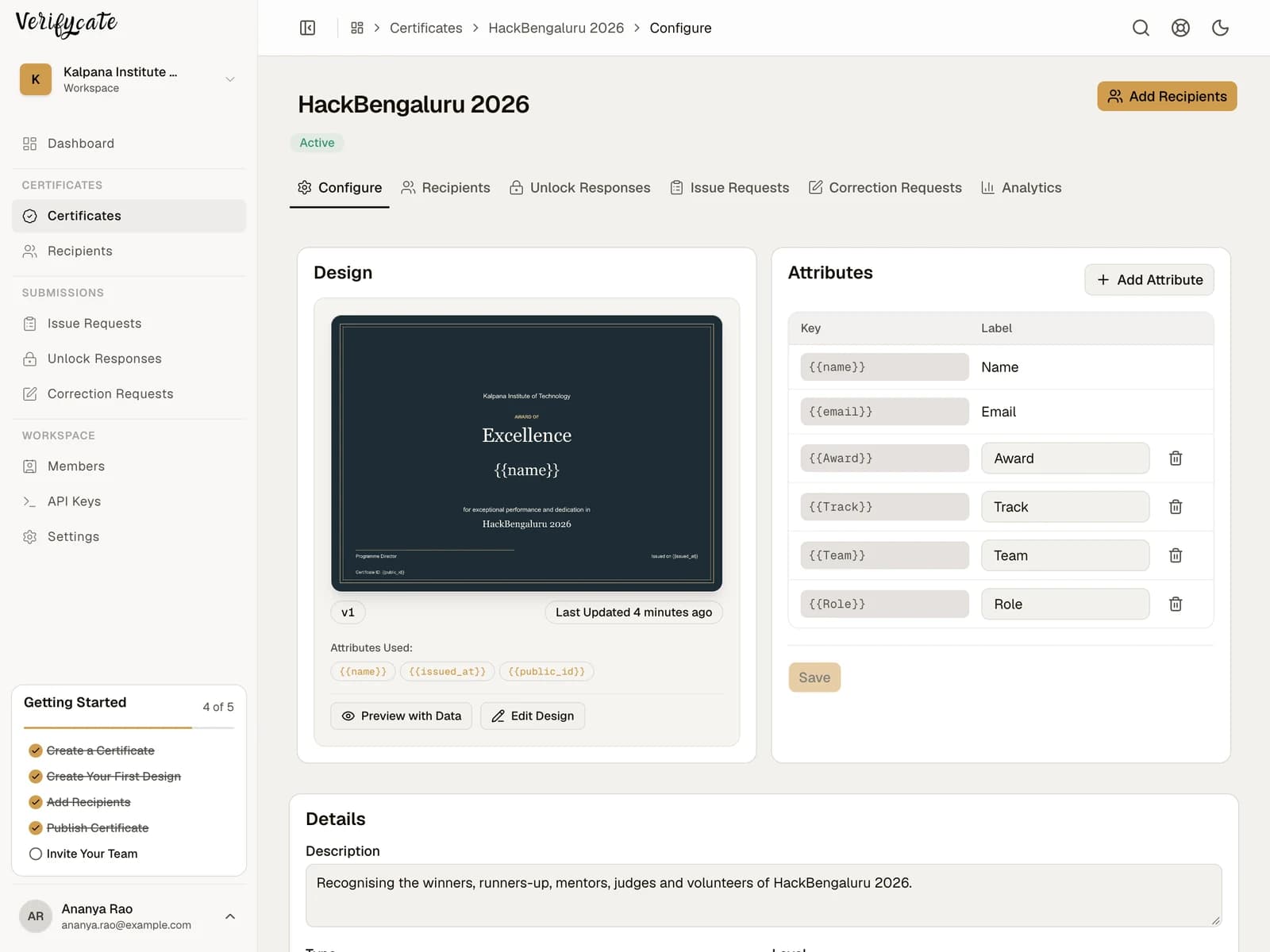
In Verifycate, create one certificate per event or award, attach a Template, and import that event's recipient list. Map the columns once — name, email, team, track, prize — then review the batch before publishing. Publishing issues the certificates and emails recipients; each issue uses one credit, and importing the list does not. A name that is wrong afterwards is fixed by the recipient through the Correction Form and approved by you, at the same public URL, without spending another credit.
What you can do
Take care of more than the certificate design
- Sixty events, one workspace: Run the whole fest from one place: a certificate per event, a shared Template, and a recipient list for each. Vidyut 2025 issued 60+ events for over 5,000 students and had certificates out in under a day.
- The design is usually what slows you down: Vidyut's media team designed every certificate themselves and uploaded them directly, and the send still finished in hours. What took the time was dozens of unique designs, sponsor logos per certificate, and collecting signatures one at a time. Templates, AI design generation, and versioning exist because of that run.
- Winners, participants, volunteers, core team: Give each group the wording it earned. Use separate certificates for different awards, or one design with recipient Attributes such as team, track, position, or department.
- Sponsor marks stay on the design: Upload the fest artwork as the Template background and place sponsor logos where the committee agreed. Amrita InCTF put sponsor logos straight on 2,000+ certificates without a design tool in the loop.
- A wrong name is fixed by the recipient: Students spot their own misspelt name faster than any coordinator can. They submit a correction, you approve it once, and the same public link updates — no reissue, no new credit. Name and college spelling are the two that go wrong most.
- A QR code that survives the group chat: Every certificate carries a QR code and a public page showing issuer, recipient, and issue date. A screenshot, a printout, or a link pasted into a group all lead back to the same record.
The workflow
A simple closeout process
- 01
Design once
Start from a Template, bring in the fest's Canva artwork as a background, or generate a design and refine it. Add the fest name, dates, and the Attributes that change per recipient.
- 02
Import each event's list
Upload the CSV or Excel export you already have, or paste the rows. Map name, email, and any award or team fields, then preview the batch with real names before anything is sent.
- 03
Publish and share
Review the recipients and publish. Certificates are issued and emailed, and every recipient gets a public page they can open, download, and add to LinkedIn. Missing names? Share the Issue Request Form and collect them in the same workspace.
Related workflows
Handle the work around the certificate
Issue Request Form
Share Verifycate's Issue Request Form after an event. Applicants confirm their email and submit details; you choose whether requests are issued automatically or reviewed first.
Explore workflowCorrection Form
Let recipients submit changes through the Correction Form on their certificate page. Choose automatic application or review each request in Correction Requests.
Explore workflowUnlock Form
Use an Unlock Form to ask recipients for feedback, testimonials, project links, or files before releasing their event certificate.
Explore workflowCustom Email Senders
Choose how certificate email is sent and who it comes from: the shared Verifycate sender, your own verified domain, a connected provider such as Resend, Amazon SES, Postmark, SendGrid, Mailgun, or Cloudflare, or raw SMTP.
Explore workflowPractical organiser guides
Plan the work for this event
How to issue college fest certificates, start to finish
A practical sequence for a college fest: award structure, one list per event, previewing with real names, publishing in batches, and the correction week afterwards.
Read the guide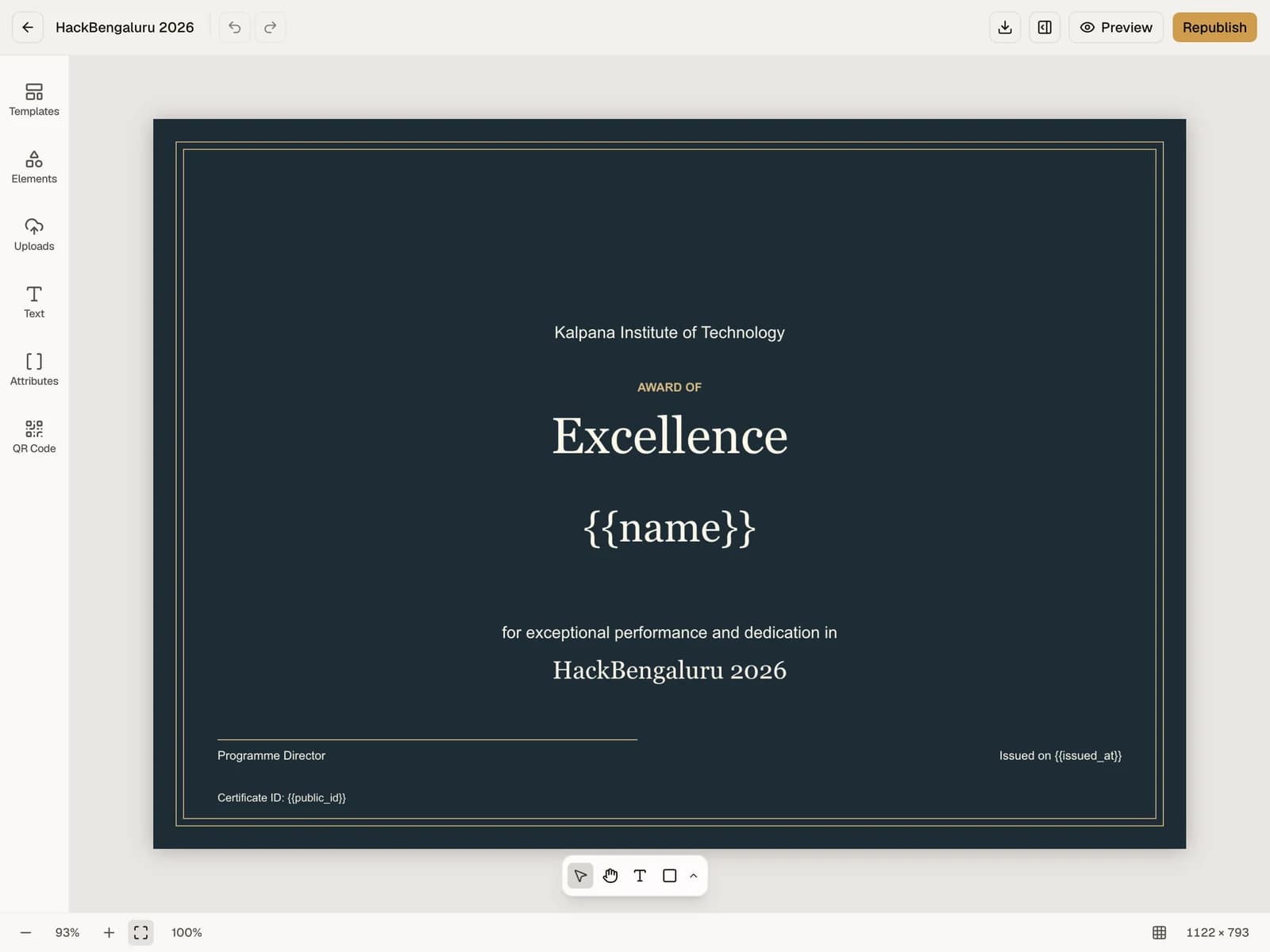
The event certificate checklist: from attendee list to public certificate page
A practical checklist for preparing recipient data, issuing event certificates, handling corrections, and sharing verification links.
Read the guide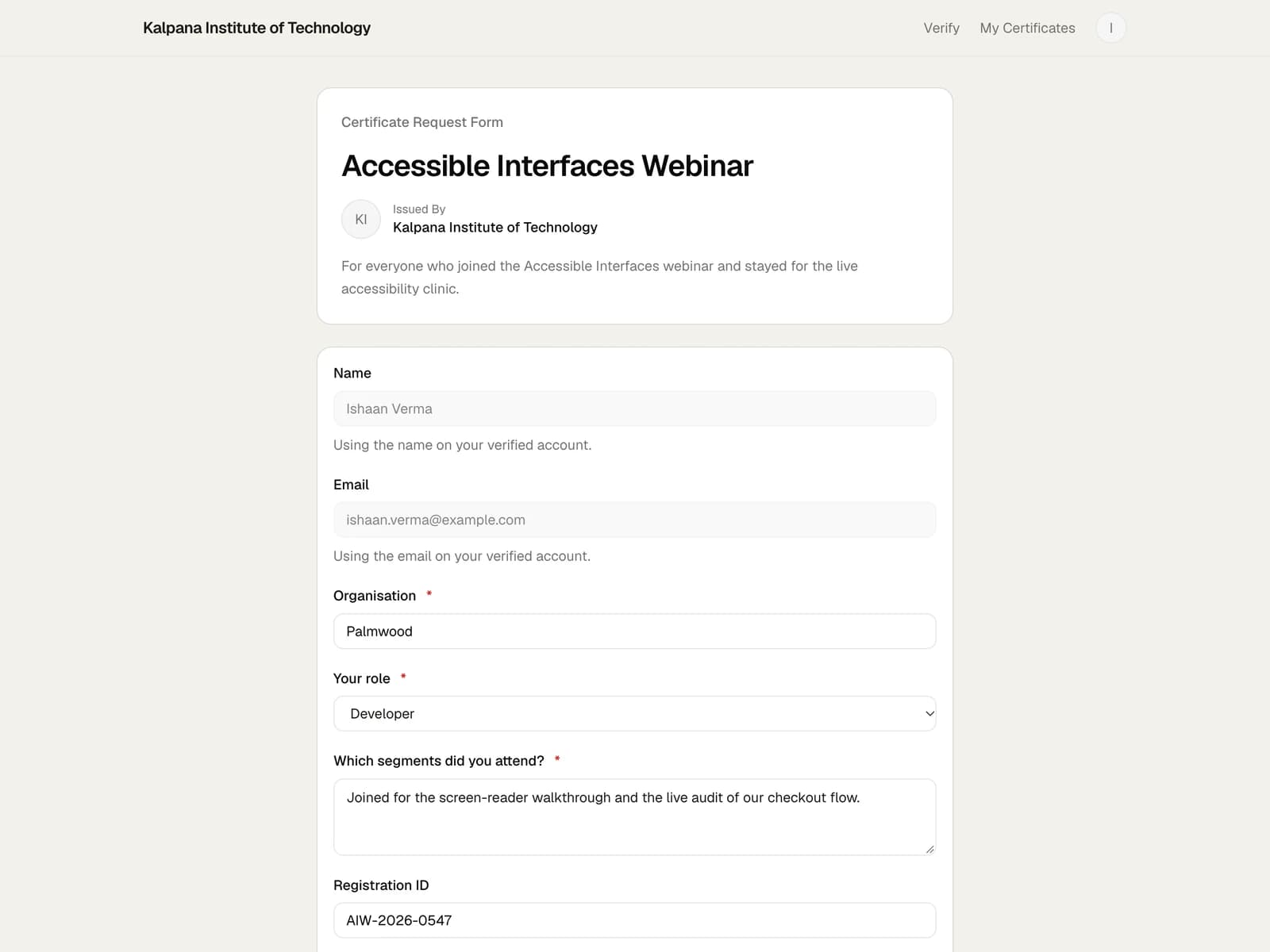
How to collect missing attendee details after an event
A straightforward way to handle attendees who are missing from the certificate list, without collecting names across scattered chats and email threads.
Read the guide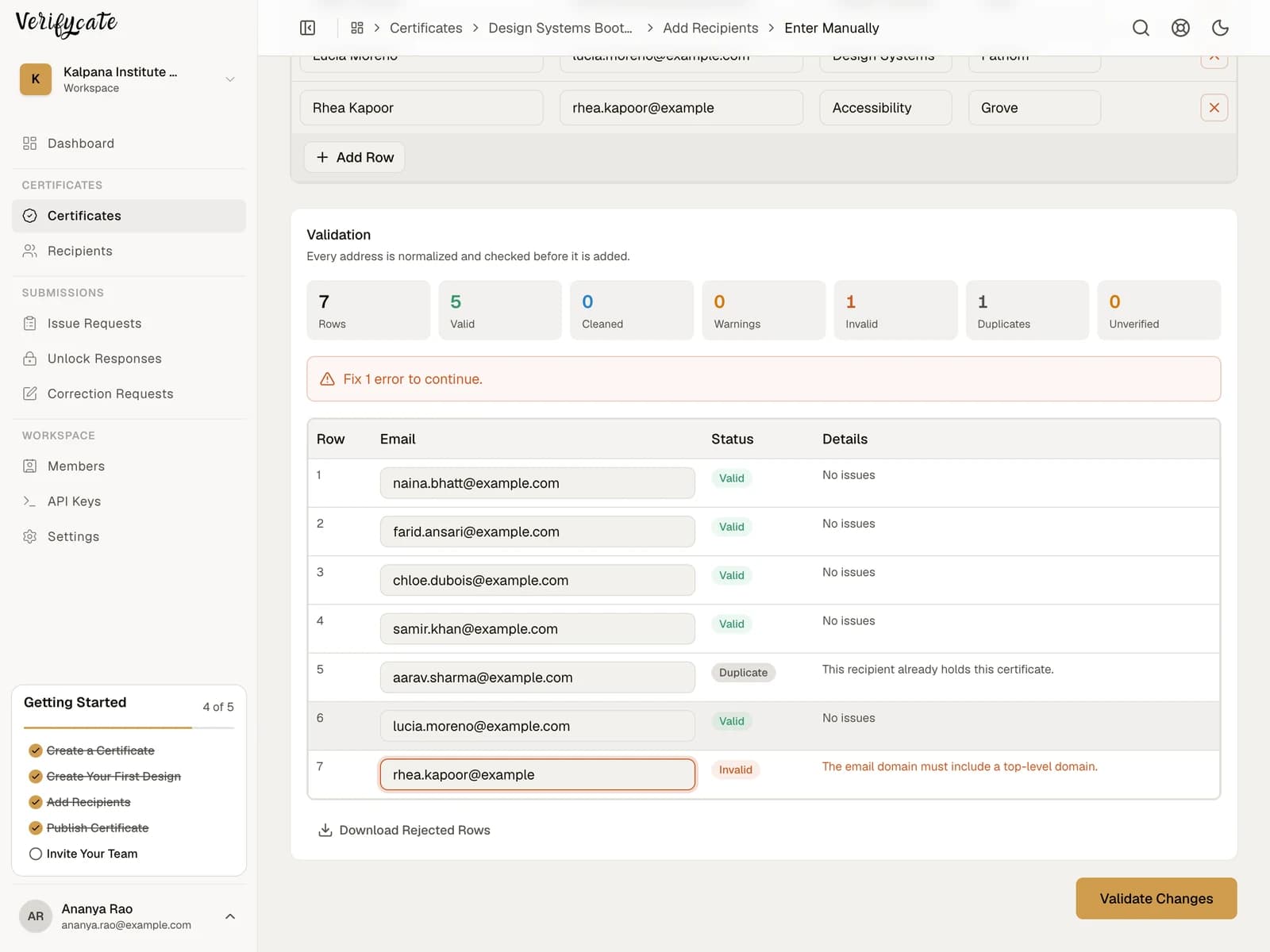
How to prepare an attendee spreadsheet for certificates
Prepare a clean recipient spreadsheet for event certificates. Learn which columns to include, how to use certificate Attributes, and what to check before importing.
Read the guideOther event types
Doing this for a different kind of event?
For event organisers
Hackathons and fests
Create and send verifiable certificates for hackathons, campus fests, and competitions. Handle winners, participants, volunteers, and late requests from one event workspace.
See the event workflowFor event organisers
Conferences and events
Prepare and issue conference certificates by recipient group. Add event branding, sponsor details, QR verification, and public certificate pages.
See the event workflowFor universities
Universities and higher education
Issue verifiable certificates for courses, conferences, workshops, student activities, and microcredentials. Design a template, import a cohort, handle late requests and corrections, and give every student a public page they can keep.
See the event workflowCommon questions
- How much does it cost to certificate a whole fest?
- One certificate costs one credit, and credits never expire. A 3,000-recipient fest is 1,200 credits from the year plan plus 1,800 top-up credits — ₹4,799 in total, about ₹1.60 a certificate. A 5,000-recipient fest works out at ₹6,799. Importing lists, designing, and corrections do not use credits.
- How long does it take to send certificates for a whole fest?
- The send is the fast part. Vidyut 2025 issued 60+ events for over 5,000 students and had certificates out in under a day. What takes longer is what comes before it: dozens of unique designs, sponsor logos on each one, and collecting signatures.
- What if we never collected the full participant list?
- Share the Issue Request Form. Students submit their own name, email, and event details, and you review the submissions before anything is issued. It is the usual fix for a fest whose registrations lived across six forms.
- Can each event in the fest have its own certificate design?
- Yes. Create a certificate per event or award, each with its own Template, or reuse one Template across events and change the event name through an Attribute.
- Do winners and participants need separate certificates?
- It depends on how the committee wants to recognise people. Separate certificates keep winner wording distinct; one design with an award Attribute is faster when there are many categories.
- A student's name is misspelt. Do we reissue?
- No. The recipient submits a correction, you approve it, and the existing public page updates in place. Corrections never spend a credit.
- Do the certificate pages stay online after the fest?
- Yes. Issued pages stay live, and credits stay in the workspace until they are used, so next year's committee starts with whatever is left.
- Can we put sponsor logos on the certificate?
- Yes — upload the artwork with the logos in place, or add them in the Template editor. On Pro, the public page also has a named sponsor slot with a logo, link, and caption.
- Is there a free way to try it on this year's fest?
- 300 credits on signup, no card required — enough to certificate a mid-sized event end to end before you decide.
Prepare certificates for your college fest
Start with 300 free credits. No card required.
Running a large fest? Apply for certificate sponsorship — 25,000 certificate issues and Pro for the duration of the event.