
How to fix certificate name errors after sending
A clear post-issue correction process for organisers: verify the request, choose automatic application or review, and tell recipients where to find the updated certificate.
By Abhiram Krishna · Founder and engineerPublished Updated 3 min read
In this guide
The use case
A name error on a certificate is small for the organiser and personal for the recipient. A simple correction process helps the recipient explain the issue and gives the issuer a chance to verify the requested change before updating the credential.
How it works in Verifycate
Correction Form
Enable the Correction Form on a published certificate and choose Apply Automatically or Review Before Applying. The recipient opens the form from their certificate page and confirms their email with a one-time code. Reviewed requests appear in Correction Requests. Applying a correction creates a new version of the same certificate; its ID and public page stay the same, the change cannot be reverted, and no extra issuance credit is used. The glossary calls this feature a Certificate Correction Form.
Give recipients a clear correction path
Enable the Correction Form and share its link from the certificate. Recipients confirm their email with a one-time code, identify the certificate field to change, and submit the new value. You choose which fields the form allows them to request changes to.
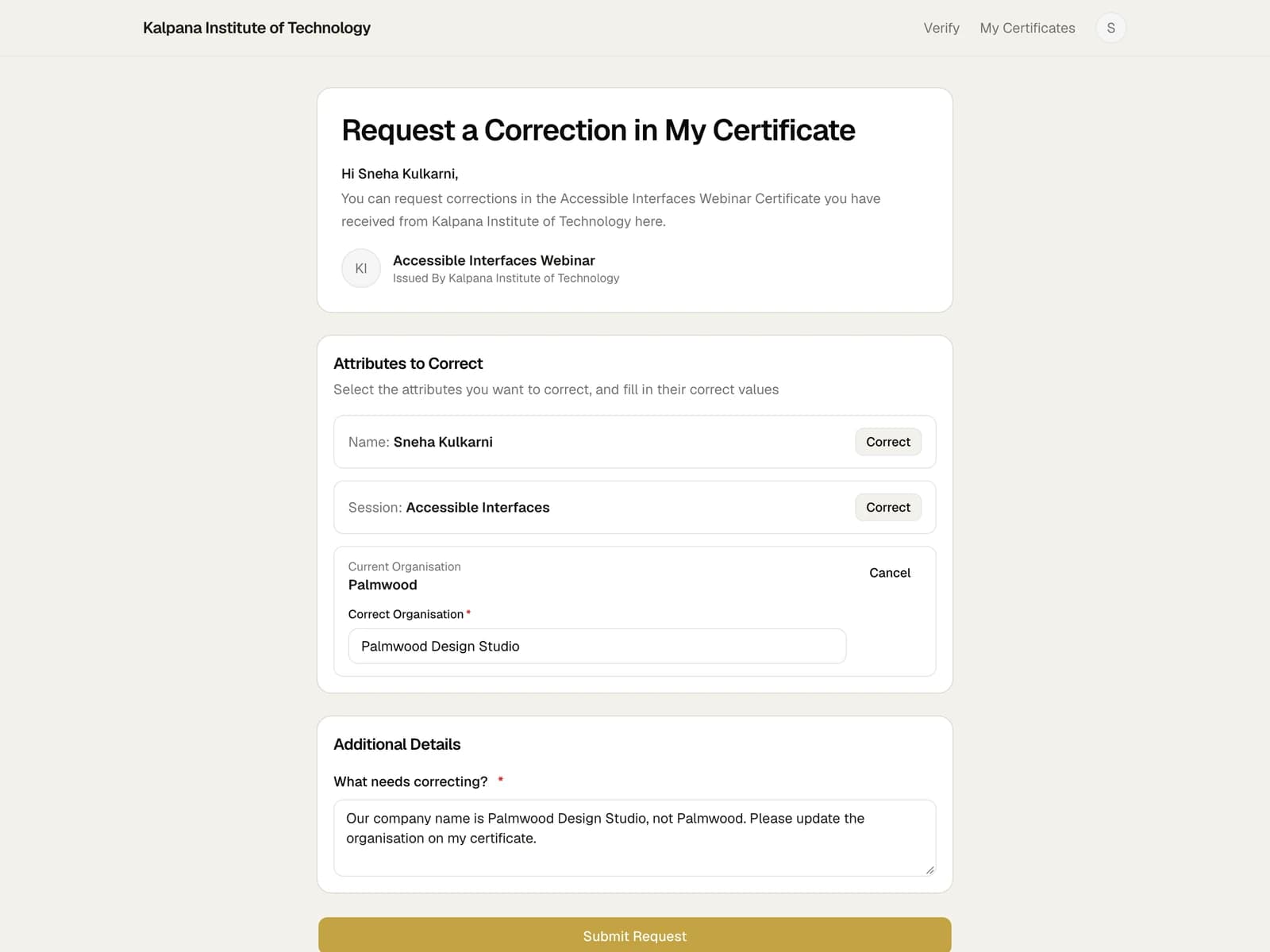
Avoid asking people to send sensitive identity documents unless the event has a real need and a clear process for handling them.
Choose a review or automatic process
With Review Before Applying, check the request against the registration, attendance, or completion record used to issue the certificate. Confirm that the change corrects an error rather than changing the underlying achievement.
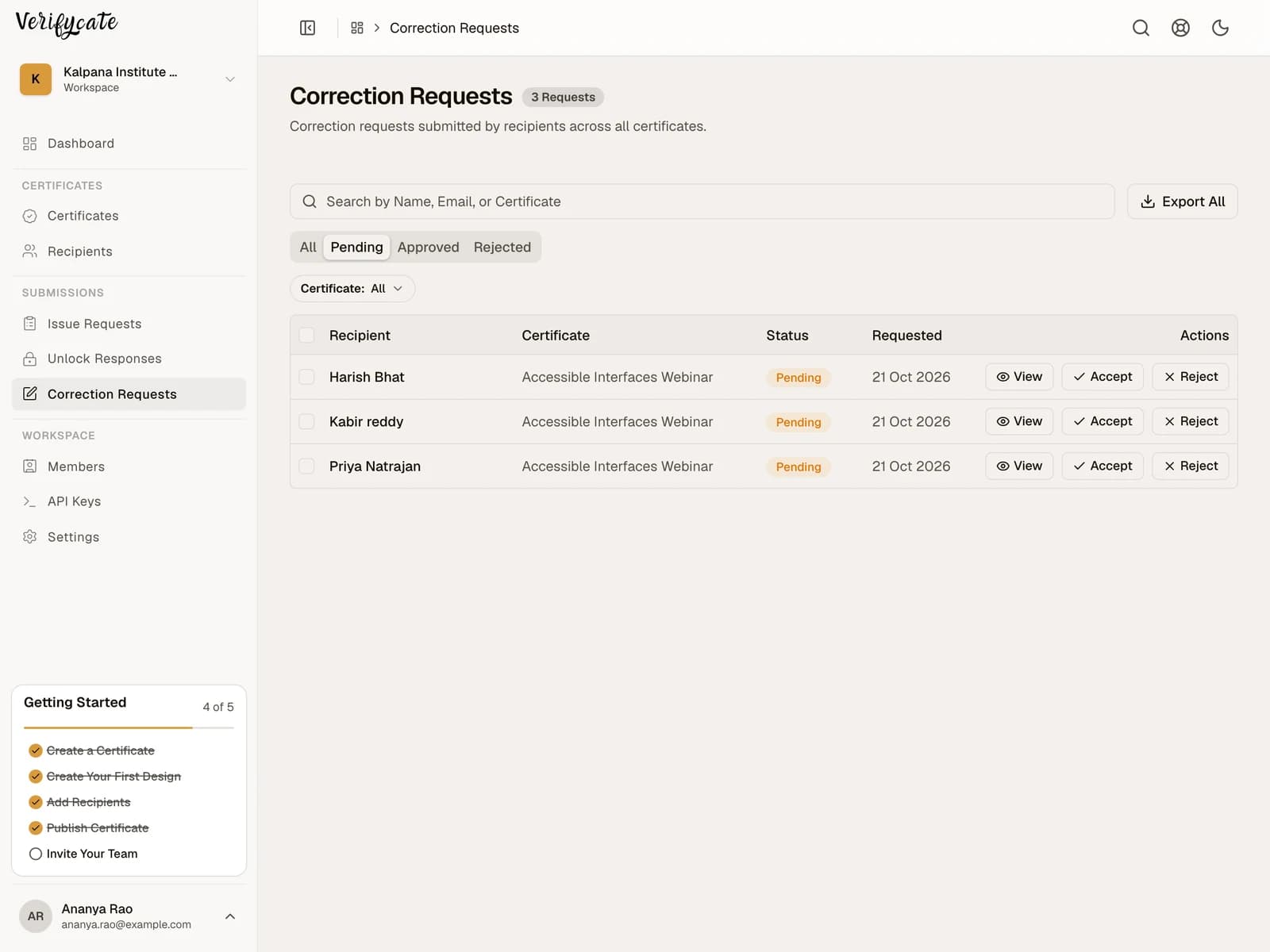
Apply Automatically is available when you are comfortable applying submitted changes without review. If you use Review Before Applying, set a review owner and response window, especially after a large event.
Apply the change and confirm
If you selected Review Before Applying, approve or reject the request in Correction Requests. An applied correction creates a new version of the same certificate; its ID and public page stay the same. The change cannot be reverted, so review it carefully before approval.
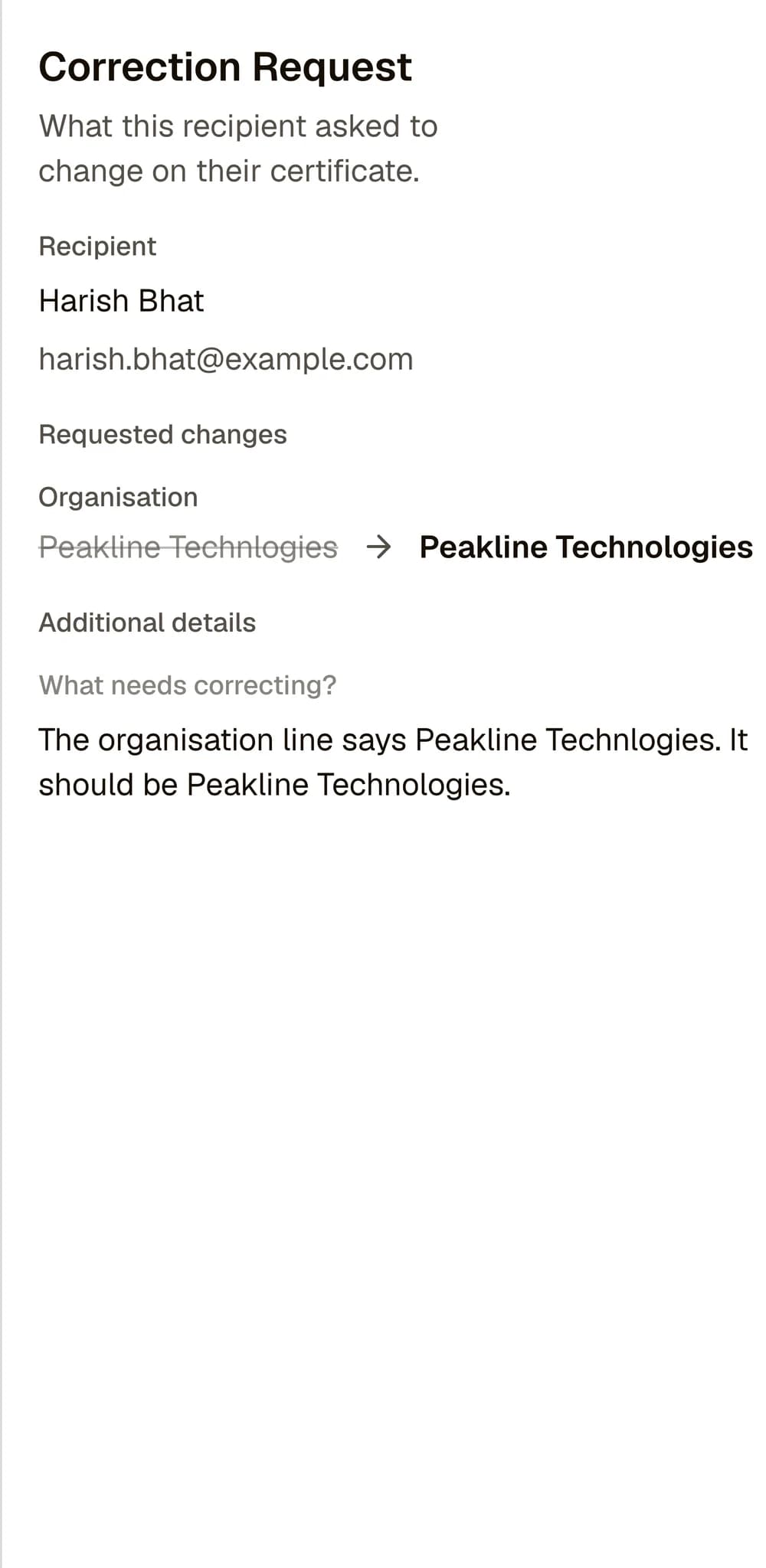
Tell the recipient when the updated certificate is ready. Corrections do not spend another issuance credit, and recipients can use their existing public certificate page to view and share the updated version.
Reduce repeat errors next time
Review common correction reasons after each event. Check whether name casing, spreadsheet column mapping, or a missing review step caused the issue. Update the import checklist or sample review so the next batch catches more errors before sending.
Facts checked on .
← All guidesKeep reading
Related resources
The next question organisers usually ask.
Start issuing
Put this guide to work
Start with 300 free credits. No card required.